

by Amit Yaniv, Senior Product Manager, and Mosh Shahar, Senior Product Manager, Security & Trust
At Fireblocks, security isn’t something we configure once and move on from. It’s a discipline that requires continuous visibility, the right people in the right seats, and the tools to understand what’s happening across your platform at any given moment.
Our recent security product enhancements and features reflect two key beliefs about security: policies are crucial and require high-quality tools to be managed effectively, and security teams need to be actively involved in securing a digital asset business. In this post, we highlight how these recent features enhance security for our customers and continue to set the bar higher for security in the digital asset space.
Your policies are your first line of defense
Most breaches don’t begin with a sophisticated exploit. They begin with a misconfigured rule, an overlooked exception, or a policy that nobody has reviewed in months. The Fireblocks Policy Engine is one of the most powerful tools you have for protecting your digital asset operations, but only if your team can manage them effectively.
With a new suite of policy management capabilities, we continue to add better visibility and control to your experience.
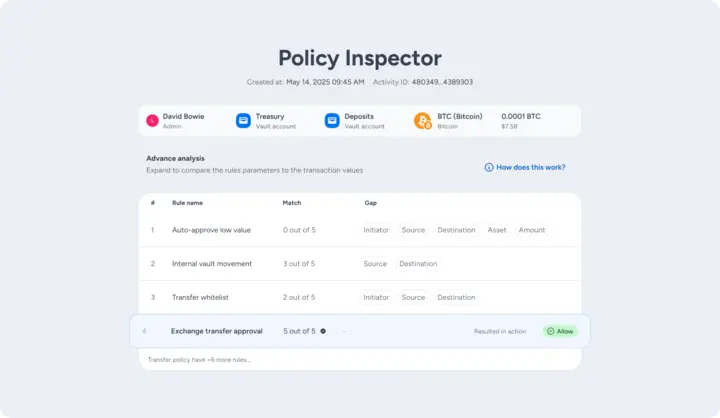
The most significant of these is the Policy Inspector. Until now, when a transaction was blocked (or unexpectedly allowed) your team could see the outcome but not the reasoning. You knew rule 13 blocked the transaction, but not why rule 5 didn’t catch it first, or which specific parameter failed to match. The Policy Inspector changes that.
For transfer actions, you can now drill down to see exactly how it traversed your policy, including which rule parameters matched, which didn’t, and where configuration gaps might exist. For security and operations teams troubleshooting unexpected verdicts, this is a significant leap forward.
Alongside Policy Inspector, we’ve introduced several capabilities that make the day-to-day management of your policy cleaner and more auditable:
- Policy Overview — A centralized view of all policy activity, pending approvals, warnings, and history in one place, so you can manage policies at scale without losing track of what’s in flight.
- Policy Export — Download an offline copy of your policy in CSV or JSON format, delivered securely via email link. Designed for audit requirements and internal documentation.
- Amount Range — Set precise minimum and maximum transaction amounts within a single rule, reducing the number of rules you need to maintain and tightening coverage across your policy.
- Multi-type Policy Publishing — Push changes across multiple policy types simultaneously, without waiting for each approval cycle to complete before starting the next.
- dApp Connection Policy — Govern your dApp connections directly from your workspace policy, bringing web3 access into the same control framework as your transaction rules.
Taken together, these updates enable better control, precision, and visibility into your policies. The more legible and auditable your policy is, the faster your team can identify gaps and act on them.
Security teams need a seat at the table
There’s a structural problem that most enterprise digital asset operations run into eventually: the people responsible for security don’t have appropriate access to the platform they’re supposed to be securing. They either get no access at all, or they’re handed full Admin credentials, which violates the most basic principle of least privilege and introduces exactly the kind of risk they’re meant to prevent.
We’ve been working to close that gap with a dedicated set of tools and roles built specifically for security and IT teams.
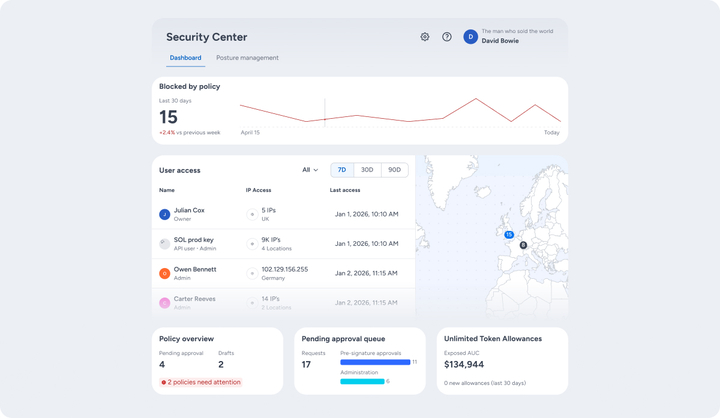
The foundation is two new user roles. Both roles land directly in the new Security Center on login.
Security Auditor Role
The Security Auditor Role gives security and audit teams full read-only visibility across the entire workspace, including policies, settings, audit logs, user management, without the ability to initiate or modify anything. It’s the access a CISO or compliance officer needs to do their job, without any operational exposure.
Security Admin Role
The Security Admin Role goes further, enabling security personnel to take action, such as managing users and groups, administering IP allow lists, participating in the admin quorum and approval groups, maintaining FSPM findings, and freezing the workspace in the event of a suspected threat, all while staying removed from transaction flows, and asset operations.
Security Center
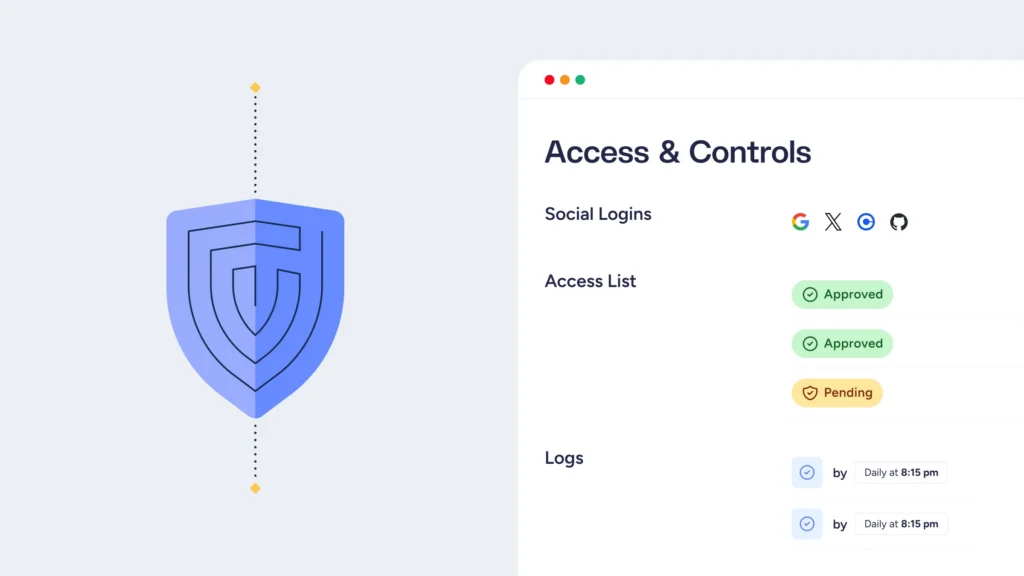
The Security Center is a purpose-built dashboard that unifies key security signals: user and API access, policy activity, blocked transactions, pending approvals, audit logs, and user management, all in one place. Security Center is available to all customers and roles (excluding the Essentials package) and serves as the dedicated home for security roles within Fireblocks.
For organizations that want to go further, Fireblocks Security Posture Management (FSPM) is available as an advanced add-on security solution. Where Security Center gives you visibility, FSPM gives you proactive intelligence. It continuously scans your configurations for weaknesses and runs AI-powered attack simulations against your policies, providing you with remediation guidance for every finding.
Evolving defenses in an evolving threat landscape
These releases reflect our sustained investment in making Fireblocks the most secure and governable digital asset platform available. One where security teams have the access they need, policies are legible and auditable, and nothing gets approved or blocked without your team understanding exactly why.